ASCRONO MacBook Pro Dock Review: Is a Stand With Ports Worth $209?
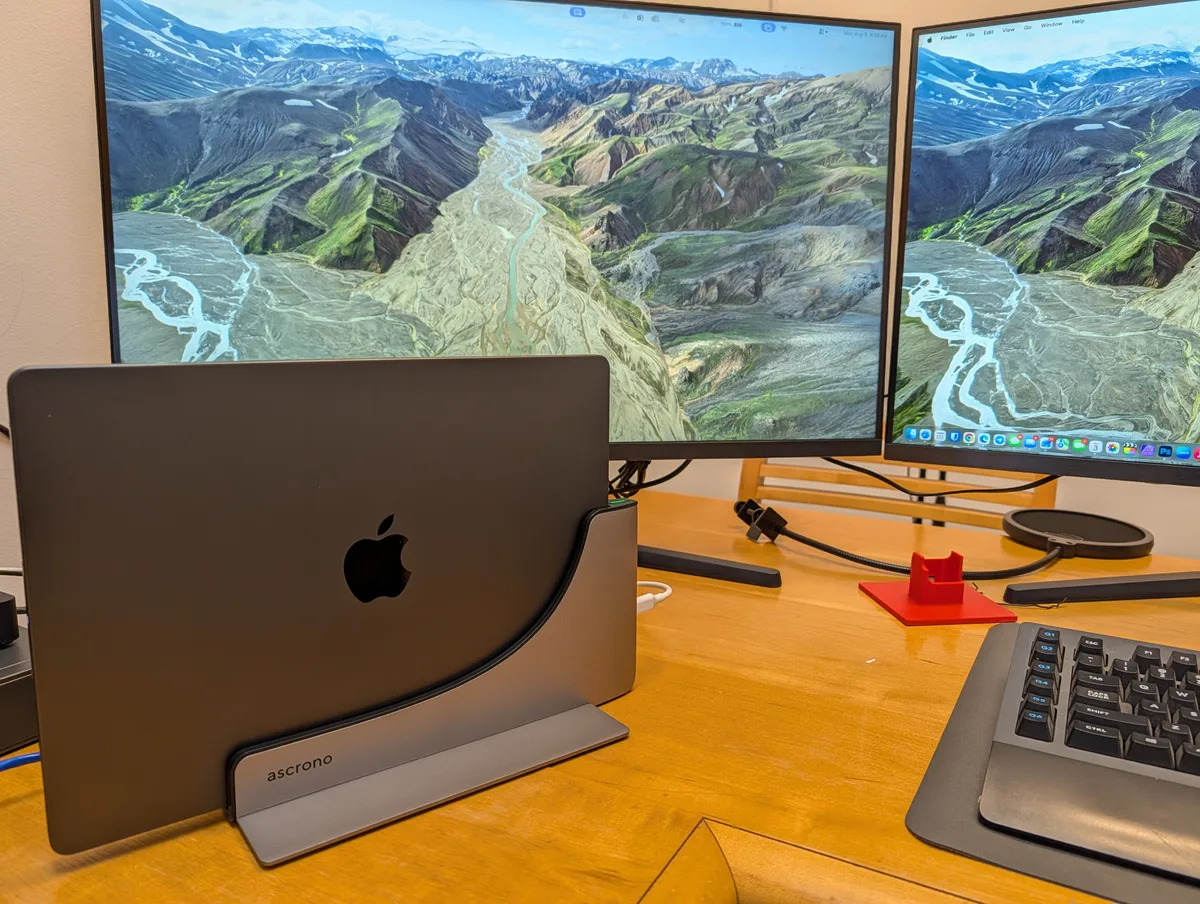
Ascrono sent me this docking station at no cost, and the links at the bottom of this post are affiliate links.
I have been dropping my MacBook Pro into it every working day since the start of August. That is long enough to stop calling it first impressions.
Here is the thing to get straight first. This is a stand with ports. It doesn’t add ports to your Mac, it moves them. Once that lands, it is either exactly what your desk needs or the wrong purchase entirely. The rest of this is about telling those two apart.
What It Is
The ASCRONO MacBook Docking Station, Type C, model DS-L-TC-R1. It lists at $209.99 and it fits the 14 inch MacBook Pro, M1 through M5, base, Pro or Max. Mine is an M3 Max.
It comes in space grey and nothing else. That is worth knowing. Ascrono also sells a CableCare Tray that does come in white, and the two are easy to mix up in a cart. The tray is its own product and I’ll cover it separately.
There is no power brick in the box and there is not supposed to be. You plug your own Apple charger into the dock and the dock passes it through.
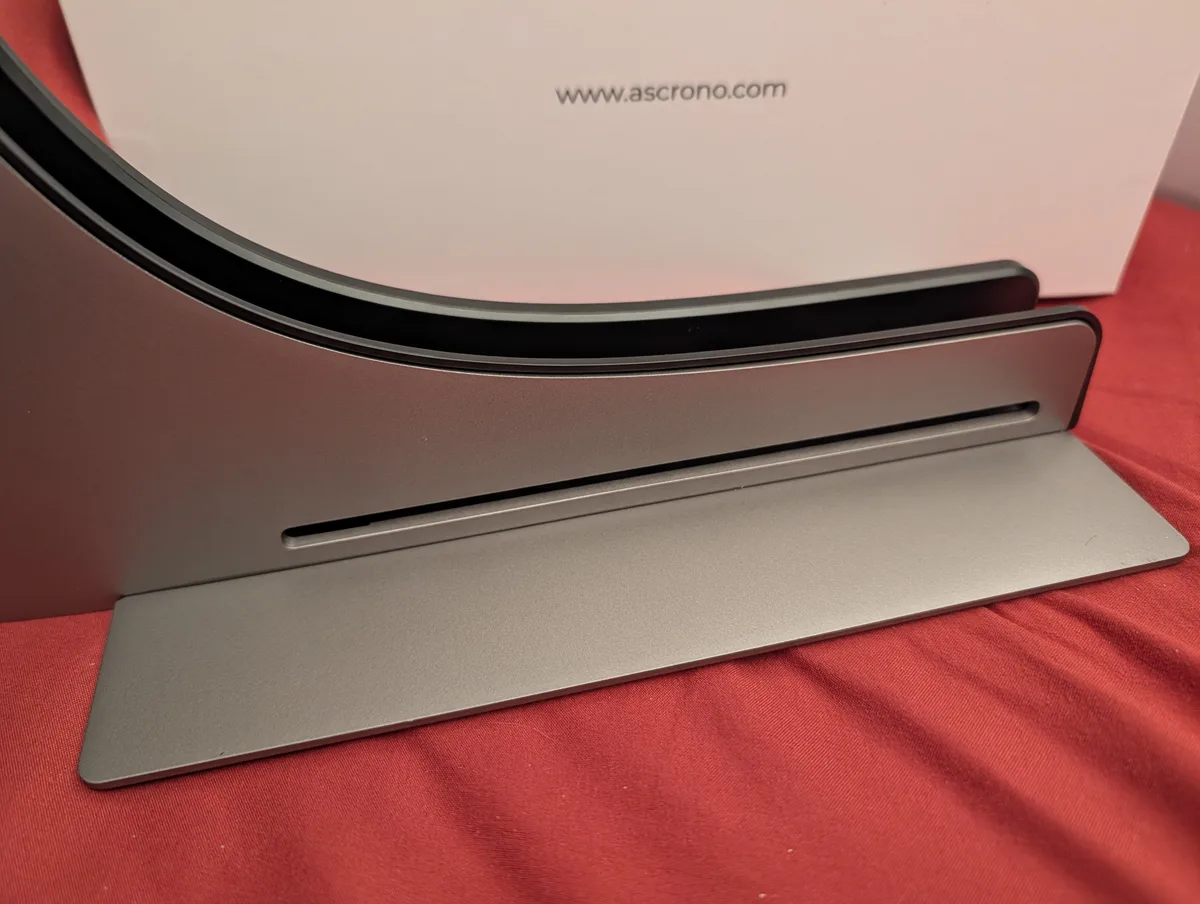
Empty, it is a slot and a base plate. Everything this thing does happens inside that slot.
Living With It
The pitch is one motion, and the pitch is accurate.
I lower the MacBook Pro in. The connectors seat, a green light comes on and my desk comes back. No reaching behind a monitor. No fishing for the end of a cable that slid off the desk again.
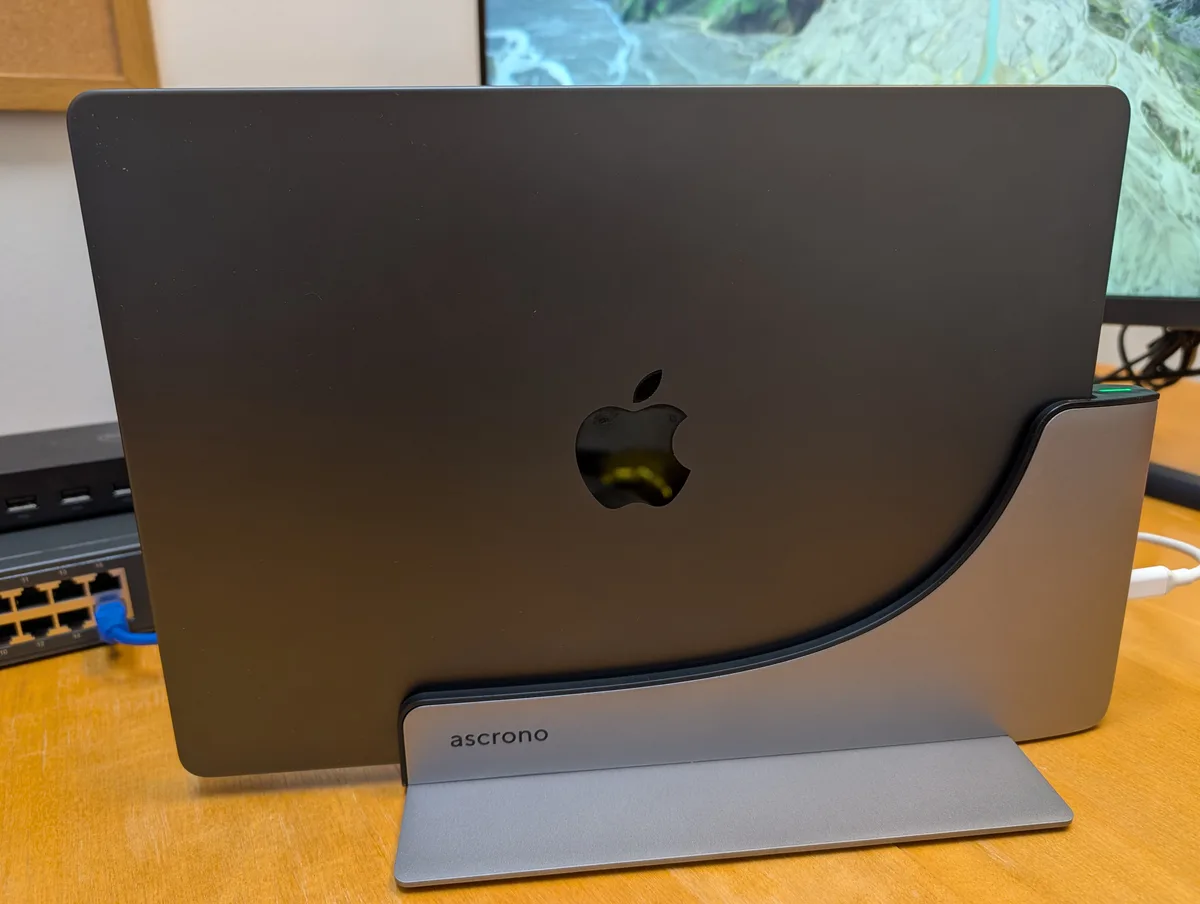
That green light is how I know it seated. I look for it now without thinking about it.
Two honest notes from daily use. The monitors take a few seconds to wake up after the laptop is seated. That is normal renegotiation and not a fault, but it is not instant and you shouldn’t expect instant.
The other one is that the MacBook Pro has to be bare. A case or a hard shell will not fit the slot, and Ascrono says as much themselves.
The build is the part I expected least from and liked most. It is heavy. It stays put when I pull the laptop out one handed and it doesn’t slide around. It looks like something Apple would have shipped. That is not a small thing on a desk you stare at all day.
It Moves Your Ports, It Doesn’t Add Any
The dock carries two USB-C ports and the MagSafe connector. Those are the same connections that live on the side of the MacBook Pro it covers up.
That is not a complaint. It is the design, and Ascrono is upfront about it in their own FAQ. No HDMI, no Ethernet, no SD reader, bring your own hub or adapter. What you are buying is the one motion and the vertical footprint.
So the fit question is simple. If you dock and undock every day, and you already own a hub you like, this does the job. It keeps everything you own working. If what you want is Ethernet and a card reader and six USB-A ports in one box, that is a different category of product. Go buy from that category.
I run a Dell D3100 off the dock and my monitors hang off that. One port gives me the displays and a hub, and the whole chain comes back in one motion with everything else.
The Monitor Limit Is Apple’s, Not the Dock’s
This part applies no matter what you end up buying.
If you have a base M1, M2 or M3 Mac, it drives one external display. Not one per dock. One. Apple’s own specs say so and Ascrono’s FAQ says so. A bigger dock doesn’t change it. Put a $500 Thunderbolt dock with fifteen ports on a base MacBook Air and it still drives one external display. The limit is in the chip, not in the box on your desk.
Hunting for a dock that advertises dual or triple 4K doesn’t help either. Those numbers usually come from DisplayPort MST, and macOS has never supported MST at all. On a Mac that dock will drive one display or mirror the same picture onto both. This is the most common way Mac buyers get burned on docks and it has nothing to do with Ascrono.
There is a workaround. USB graphics, where the Mac renders in software, compresses the frame and ships it over USB to an adapter that unpacks it on the other end. Ascrono offers one as a paid upgrade on this dock, and other vendors sell them too. It works. The tradeoffs are real. A driver install, compression artifacts on fast moving content, and some extra load on the CPU. Fine for documents and terminals. Not what you want for grading video.
So before you spend money on any dock, look up how many external displays your exact Mac supports. On a Pro or a Max you have room. On a base chip, no dock is going to hand you a second independent screen. Knowing that first saves you a return.
I Tried to Catch It Slowing My SSD Down
Ascrono rates the ports at up to 40Gbps. I can’t verify that number. The fastest external drive I own is a USB SSD that tops out well below it.
What I could test is whether the dock costs me anything, and it doesn’t. My SSD runs the same speed through the dock as it does plugged straight into the MacBook Pro. I wrote a big file each way and couldn’t find a difference between them. That was a quick check on my own desk, not a lab test.
The device tree is the better answer anyway. Through the dock, that SSD shows up under the Mac’s own USB controller with no hub in between. Same as plugging it straight into the laptop. My Dell hub announces itself as a stack of hubs before anything downstream shows up. The Ascrono path announces nothing. There is no extra chip in the way, which is why the speed comes out the same.
Charging
I keep the MagSafe plugged in, so charging is what it always was. The dock isn’t really in the power path. It tidies the cable up and hands it over when the laptop lands in the slot.
Who This Is For
Buy it if you carry your MacBook Pro between a desk and somewhere else. If you are tired of plugging in the same two or three cables every day. If your desk would be better off with the laptop on edge instead of lying flat eating space.
It has done that every day for six weeks without one failed connection, and it looks good doing it.
Don’t buy it expecting more ports than your Mac already has. Don’t buy it hoping to add a display your Mac can’t drive. Those are the two ways to end up disappointed here, and both of them are avoidable before you spend anything.
It is a stand with ports. My desk is a lot tidier than it was.
ASCRONO MacBook Docking Station →
Disclosure: Ascrono provided this docking station at no cost. The links above are affiliate links and I earn a commission on purchases made through them, at no additional cost to you. See the disclosure page for details.
Leave a comment
Comments are moderated, so it may take a bit before yours appears. Your email is never published.