How I set up NAS-to-NAS backup at home (Part 3: What I'm doing about it)
In part 2 I tracked the slow first sync down to one place: the destination NAS’s CPU. The drives have headroom, the network has headroom, the source is bored. The Atom in the DS1815+ is the wall, and it’s why a one-time 11 TB initial replication is going to take days, with three more shares behind it that bring the total to weeks.
That’s the problem. Part 3 is what I’m thinking about doing about it.
The criteria, briefly
I’m not optimizing for speed in isolation. There are five things I want a destination box to do, and the right answer is whichever option gets the most of them at the lowest total cost (money plus time).
- CPU that doesn’t bottleneck the receive path at modern line rate.
- Network that’s at least 2.5 GbE, ideally a path to 10 GbE.
- Drive compatibility with the eight 8 TB drives already in the lab.
- Software that supports incremental block-level replication or a workable equivalent. Snapshot Replication and TrueNAS sends both qualify. rsync alone is a downgrade.
- Cost discipline. Time is real currency here. Money is too. Neither one wins by itself.
Three real options came out of those criteria. Here are the first two.
Option A: Buy a newer Synology
The easy answer would be another Synology. A DS1825+ or DS923+ would slot in with no learning curve, the existing Snapshot Replication tasks would migrate, and the eight drives would move over without a reformat. Done.
Two reasons I don’t want to do that.
The first is cost. New Synology Plus-series boxes have crept up in price every generation while the hardware inside has not kept pace. The DS1821+ I have was a real step up because it gave me the option to add a 10 GbE NIC (which I did), and that hardware does its job. But buying another one of these for a backup destination, on top of the DS1821+ that’s already serving as the primary, feels like paying twice for hardware that’s only partly earning its keep. The CPU and chassis cost in a Plus-series box stops looking reasonable when you compare it to what the same money buys in commodity hardware.
The second reason is more specific to the DS1815+ I’m trying to replace, and worth telling because it shapes how I think about the next decision.
The reason there are two Synology NASes in this lab in the first place isn’t that I planned for it. It’s that the DS1815+ had a power supply failure, the power supply turned out to be a proprietary part that wasn’t easy to source quickly, and I needed something running on a tight timeline. The fastest way to get back to a working NAS was to buy a brand new 8-bay box. That’s how the DS1821+ ended up here. Months later I was able to find a replacement DS1815+ and bring the original chassis back online, which is why it’s now sitting in the rack as a candidate backup target.
What I learned from that episode is that I do not want to be one proprietary part away from “buy a new $1,000 box this week.” A second Synology only deepens that exposure. Two Synologys means two boxes that fail in Synology-shaped ways, with proprietary power supplies, proprietary fan headers, and an OS that gets bloated faster than the hardware gets faster.
DSM is fine. DSM is even pretty good for the family-NAS use cases I care about on the primary. But for a backup destination whose entire job is to receive blocks reliably and sit quietly, paying a Synology premium and a software-bloat tax to do it is the wrong shape of trade.
So Option A is off the table on cost and on principle. The only place I’d reconsider it is if I find that no other option can reliably accept incoming Snapshot Replication traffic, in which case the question becomes a different one. More on that when I get to the third option.
Option B: Keep the DS1815+, change what I expect from it
The other end of the spectrum is doing nothing. Let the DS1815+ keep being the destination for Snapshot Replication. Accept the slow initial sync as a one-time tax. Live with it.
This option is easy to dismiss and harder to dismiss honestly. There’s a real argument for it that’s worth saying out loud.
The slow throughput problem from part 2 is mostly an initial-sync problem. Once a share is fully on the destination, every subsequent run only ships the deltas since the last snapshot. For shares like mine, where most data sits still and changes are mostly additions, the deltas are tiny. The painful 3-to-6-day window is a one-time cost per share, not a weekly one. If I were willing to wait out the initial sync of all four shares (call it a few weeks of background traffic), the steady-state behavior would actually be fine on this hardware.
So the box isn’t useless. It’s underpowered for the introduction phase and adequate for the operational phase.
That doesn’t mean it’s the right answer for this job, though. Two things push me away from it.
First, even setting aside the initial-sync wait, the CPU ceiling means any future bulk operation runs into the same wall. If I add a new share later. If I have to rebuild from scratch after a drive replacement on the destination. If the resume token mechanism ever fails and a sync has to restart. Every one of those triggers the multi-day cycle again. The DS1815+‘s CPU isn’t slow only during the first sync. It’s slow whenever there’s real work to do.
Second, this NAS came out the same year as the original Apple Watch. The Atom C2538 inside it is end of an era, end of software life on DSM, and end of being a reasonable target for any serious workload. Asking it to be the long-term backup for an 11 TB primary in 2026 is asking too much of hardware that should be retired from primary-backup duty.
That said, there’s a softer version of Option B worth considering. The DS1815+ doesn’t have to be the backup for the DS1821+. It could become a different kind of backup target for a different kind of data. The box has eight bays, takes any drive size in SHR, and is more than fast enough to be the destination for desktop and laptop backups, where the data is small, the cadence is slow, and time-to-completion barely matters. If the DS1815+ stops being the primary’s NAS-to-NAS target and starts being the household’s “things that aren’t the main NAS” backup, the weak CPU stops being a problem. It just becomes the right size of capable for the right size of job.
So Option B in its strict “keep doing what we’re doing” form is out. The CPU genuinely should retire from this duty in 2026. But Option B in its softer “find it a smaller job” form is going to come back when I talk about the third option, because the question of what the DS1815+ does next gets more interesting once it’s not trying to be the backup for the primary.
That’s where the third option comes in.
Option C: Repurpose the retired Ryzen box
The third option is the one I’m leaning toward, and it’s the one that makes the rest of the lab make sense.
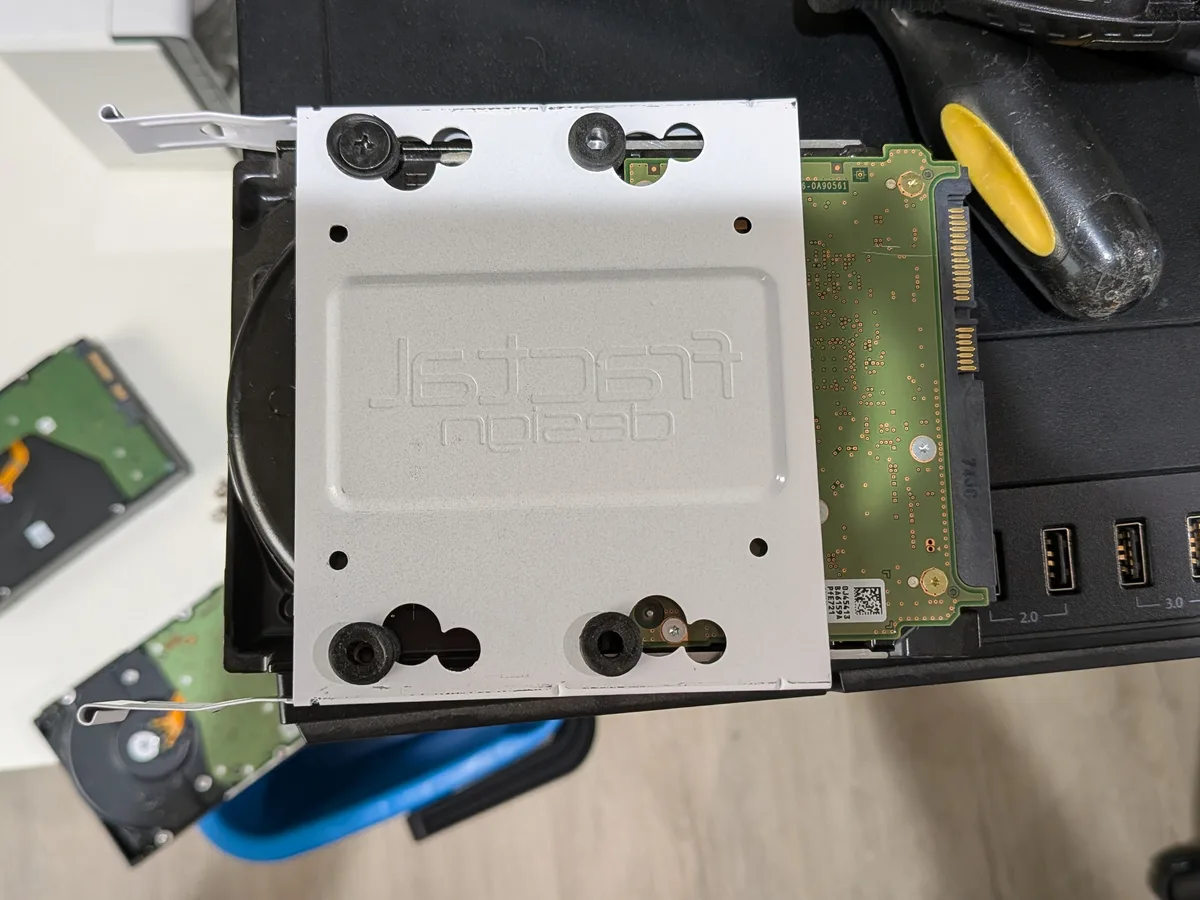
A few years ago I built a tower as a Proxmox node. AMD Ryzen 9 3900X, 64 GB of DDR4, an NVIDIA Quadro P400 for the boot console, an EVGA 850 W Gold power supply, a Gigabyte X570 AORUS Master motherboard, and a tower chassis with bays for eight to ten 3.5” drives. It ran a couple of VMs for a while, got mostly unused as the rest of my homelab consolidated onto smaller mini PCs, and was eventually shut down a few weeks ago. It’s been sitting powered off in the rack ever since, waiting for a reason to come back online.
The third option is to make it the reason.
What the box becomes
The plan is a single machine doing three roles, cleanly separated:
- Proxmox as the host OS, the same hypervisor I already run elsewhere in the lab.
- TrueNAS Scale as a virtual machine inside Proxmox, with a SAS HBA passed through to it directly. TrueNAS gets unmediated hardware access to the eight 8 TB drives. ZFS is happy. The VM doesn’t share storage with anything.
- A Docker VM alongside it, running the same containers that currently live on the dedicated mini PC Docker host. Sonarr, Radarr, Home Assistant, the whole stack. Same Docker Compose files, same
/opt/-style layout, just running inside a virtual machine instead of on bare metal.
Three VMs, one box, clearly defined boundaries. Proxmox handles the hypervisor and the VMs. TrueNAS handles the storage. Docker handles the containers. None of them are pretending to be the others.
I’ve run Docker-in-a-VM-on-Proxmox before. That part is familiar. The new piece is TrueNAS-in-a-VM with PCIe passthrough of the storage controller, and that’s a well-trodden path in the homelab community. The reason it works cleanly is the HBA. When you flash an LSI or Adaptec card to “IT mode” (initiator-target, no RAID logic), it becomes a transparent SAS-to-PCIe bridge. Pass the whole card through to TrueNAS via Proxmox’s PCIe passthrough, and TrueNAS sees real disks via real hardware. ZFS gets exactly what it wants, which is no virtualization layer between it and the spindles.
The math, before and after
A direct comparison against where the current sync is sitting:
| Path | Network ceiling | Realistic sustained rate | Time for 11 TB |
|---|---|---|---|
| Current DS1815+ destination | 1 GbE | ~98 MB/s in bursts (CPU-bound) | ~6.5 days projected |
| 3900X via the onboard 1 GbE | 1 GbE | ~110 MB/s | ~28 hours |
| 3900X via the onboard 2.5 GbE | 2.5 GbE | ~270 MB/s | ~11-12 hours |
| 3900X with a future 10 GbE NIC | 10 GbE | ~500 MB/s (source-disk bound) | ~6 hours |
The thing that makes the 2.5 GbE path so satisfying is that the motherboard already has it. The X570 AORUS Master ships with a Realtek 2.5 GbE port alongside the standard Intel 1 GbE port. I don’t need to buy a network card for the 2.5 GbE path. It’s already in the box, waiting to be cabled.
Switching to this hardware turns the current “11 TB takes a week, all four shares take a month” trajectory into “11 TB in half a day, all four shares in roughly a day.” That’s not a marginal upgrade. That’s the difference between a backup that works the way I expect and a backup I have to plan my life around.
What it costs
In money, almost nothing. The list:
- The 3900X box exists, paid for, sitting unused.
- The 64 GB of RAM is already in it.
- The Quadro P400 GPU is already in it. It draws less power than the spare AMD card I had set aside as an alternative, and it has CUDA support if I ever want to pass it through to a VM later for transcoding or compute.
- The 850 W Gold power supply has plenty of headroom. The full build under sustained load draws around 280 W, which puts the PSU at 33% load, dead in the middle of the peak-efficiency band.
- The HBA, flashed to IT mode, is on a shelf. I’ll need to confirm which of the cards I have is the right one, but the hardware is already here.
- The boot drives are mostly here. I have a 512 GB NVMe ready to go for VM disks, and the existing SATA SSD in the box will serve as the Proxmox host boot drive in the short term. If I want to move Proxmox to NVMe too, that’s a small spend.
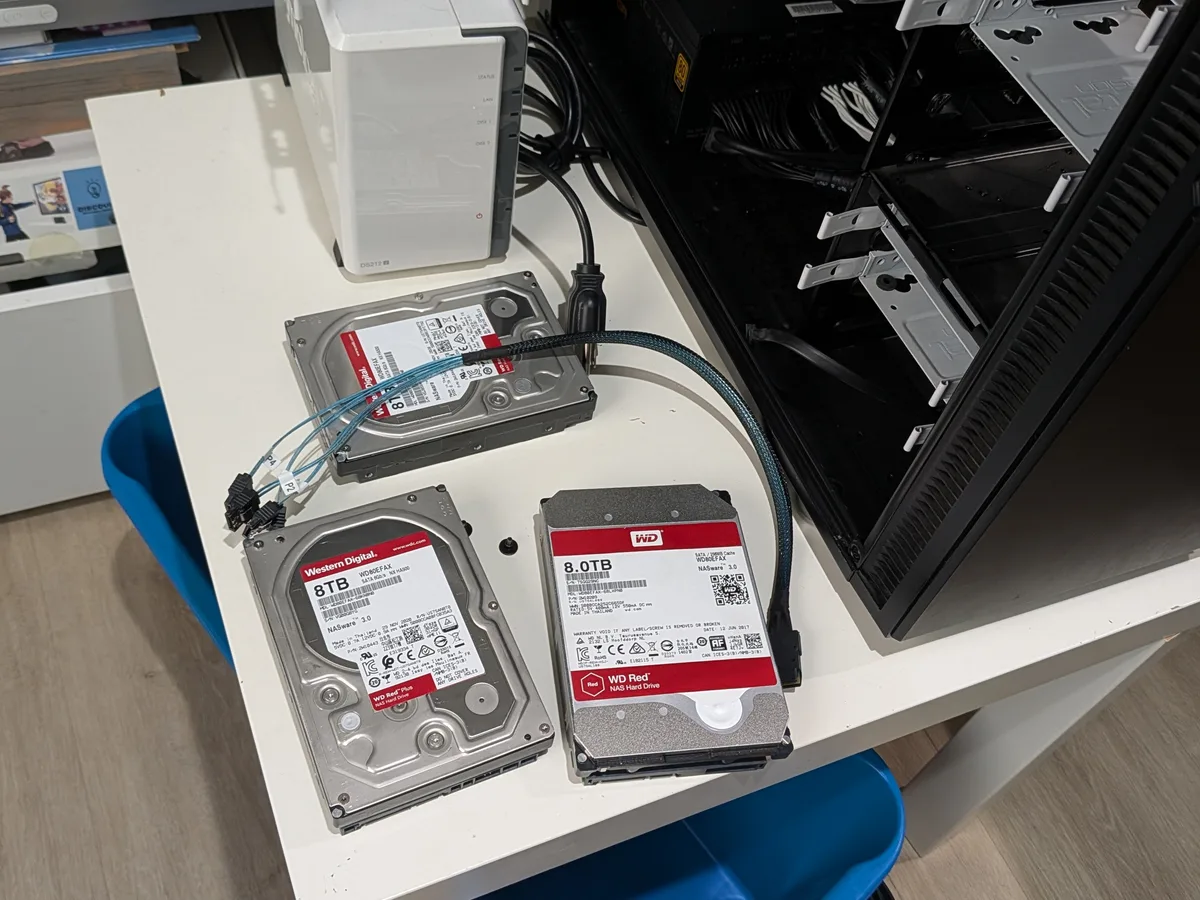
- The eight 8 TB drives are here. They’re the same drives currently in the DS1815+, and they’ll move from there into this box during the migration.
In time, real but not unreasonable. Fresh Proxmox install, set up TrueNAS as a VM, configure HBA passthrough, build the ZFS pool, migrate the Docker containers from the existing host. A weekend’s work for someone who’s done all of those things separately before.
What it costs in migration friction
This is the honest tradeoff. Synology’s BTRFS isn’t directly compatible with TrueNAS’s ZFS. The eight drives have to be wiped and rebuilt as a ZFS pool. The 1.54 TB I’ve already replicated would have to start over.
A week ago that would have felt painful. After diagnosing what the DS1815+ destination is actually doing under the hood, it doesn’t. Restarting the initial sync onto hardware that can absorb it at line rate means the redo takes around half a day instead of the multi-week trajectory I’m currently on. The migration cost pays for itself the first time I do a bulk operation on the new hardware.
There’s a related friction worth flagging. Synology Snapshot Replication only talks to other Synology devices. It uses a Synology-specific transport layered on top of btrfs send, and TrueNAS doesn’t speak it. So the source side, the DS1821+, can’t keep using Snapshot Replication tasks once the destination changes. That replacement deserves its own thinking, and the leading candidate is rsync from the source plus ZFS snapshots on the TrueNAS destination, which gets functionally equivalent behavior with a different mechanism. I’ll write that up separately if I commit to this path.
How the layered backup picture changes
This is where the softer Option B comes back. If the 3900X box becomes the primary backup destination for the DS1821+, the DS1815+ is no longer asked to do that job. It’s free to take a different one.
The picture I’m thinking about:
- Primary: the DS1821+ (where data lives).
- Backup of primary: the consolidated 3900X box running TrueNAS Scale.
- Backup of the 3900X box: the DS1815+ in its softer role, with mixed-size drives in SHR, taking periodic deltas from the 3900X. The Atom CPU isn’t asked to do anything heavy, just hold a copy and accept slow incremental updates.
- Cold spare for the 3900X box: the unused Ryzen 5 2600 system I also have on the shelf, kept ready to step in if the consolidated box fails. Same chassis pattern, similar drive configuration potential, less compute, fine for rescue duty.
That’s not a perfect 3-2-1 backup architecture, but it’s much closer to one than what I have now, and the offsite leg (encrypted Restic to a cloud target) is already on the roadmap for the next phase.
The thing I like most about it: every box in the lab finally has a reason to be there. No retired hardware in a closet collecting dust. The 3900X gets a job that actually uses what it can do. The DS1815+ gets a job that’s right-sized for what it can still do. The 2600 gets to be useful as a future-tense safety net rather than e-waste-in-waiting.
The unknowns I still need to confirm
A short list of things I want to verify before pulling the trigger.
- Which HBA card I should use. I have at least two flashed-to-IT-mode controllers on the shelf. I need to confirm which one is in the best shape, supports the drives I’m using, and has the cleanest passthrough story on this board.
- The motherboard BIOS settings for IOMMU. I peeked at the BIOS and saw an IOMMU option, but I didn’t fully verify SVM mode, Above 4G Decoding, and the rest of the AMD virtualization toggles. They need to be set correctly before Proxmox will pass devices through cleanly.
- The exact PCIe slot to put the HBA in, given the GPU’s lane requirements and the chipset/CPU split on the X570 AORUS Master.
- The replacement for Snapshot Replication. As mentioned above, the source DS1821+ won’t be able to use its current replication tasks. The replacement (probably rsync plus ZFS snapshots) needs to be tested before it becomes the backup of record.
None of these are blockers. They’re verification steps. The architecture is sound. The hardware is on hand. The only thing left is the work.
Where I’m landing
Option A is the easy answer that’s wrong on cost and on principle.
Option B in its strict form is too slow, but in its softer form, retasking the DS1815+ for desktop-class backup, it’s still a useful piece of the picture.
Option C is the answer. The 3900X box becomes the primary backup destination. The DS1815+ becomes a tertiary backup. The 2600 sits on a shelf as a hardware spare. The Snapshot Replication setup gets replaced with an rsync-plus-ZFS-snapshot pattern. The migration takes a weekend. Future bulk syncs run at line rate instead of grinding for days.
The DS1821+ keeps doing what it does. Everything around it gets better.
Part 4, when it happens, will be the actual build write-up. What I tested, what worked, what surprised me, and what the new system feels like when the first 11 TB sync finishes in less time than I’d usually spend on a single Saturday afternoon.
Leave a comment
Comments are moderated, so it may take a bit before yours appears. Your email is never published.